
Shoot it.
Drop it.
Go.
Your photos, sorted by place and filed to Google Drive, OneDrive, Dropbox or iCloud Drive in one tap.
Take photos at work with your normal camera. FieldDrop Go spots them, groups them by place, and files them into the cloud you pick (Google Drive, OneDrive, Dropbox or iCloud Drive) with one tap. Then it clears them off your phone, so your gallery stays yours.


Free for 1 month, then $19.99 a year.
- No server, we never see your photos
- You pick: Drive, OneDrive, Dropbox or iCloud Drive
- Made by Logic Stitch
Ready for iPhone Duo. Unfold it and your places and the photo sit side by side. See how
Sorted for you
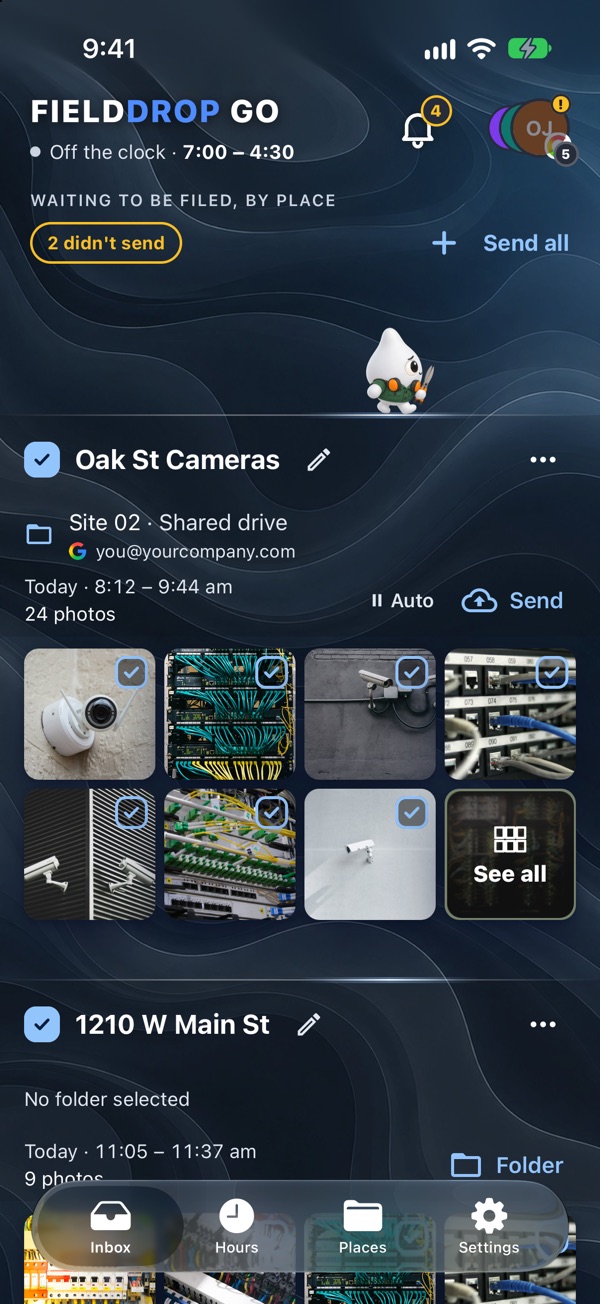
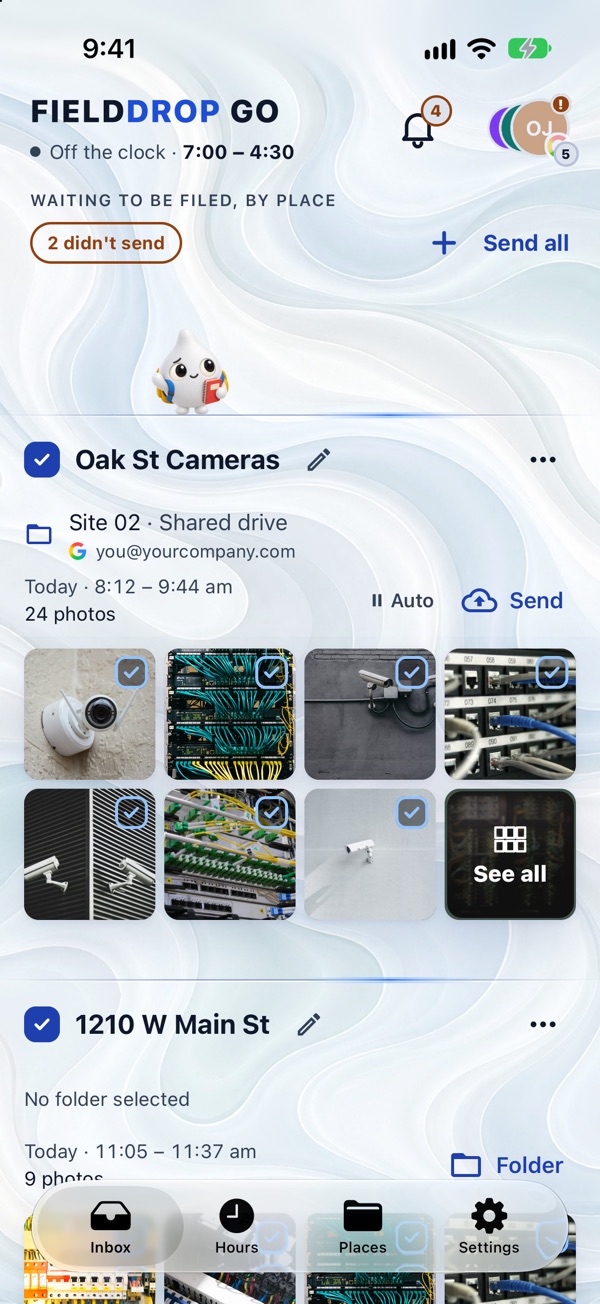
Every place gets its own card
Open the app and your work photos are already grouped by where you took them, each with its folder ready. Check them, then tap Send.
Before: one big camera roll
Work photos mixed in with the dog, the beach and the birthday cake. Hundreds of them.
After: filed by place
- Jobs › 412 Oak St24
- Clients › Riverside Clinic9
- Plant 2 › Line B12
- Jobs › 88 Maple Ave6
In the cloud you pick: Google Drive, OneDrive, Dropbox or iCloud Drive. Your camera roll is just yours again.
How it works
Shoot it.
Use your phone's normal camera at work. Nothing new to learn.
Drop it.
Photos from your work hours are grouped by place: a job site, a building, a part of the plant.
Go.
One tap files them to the right folder. Then clear them off your phone. Your phone asks first.
Only your work photos
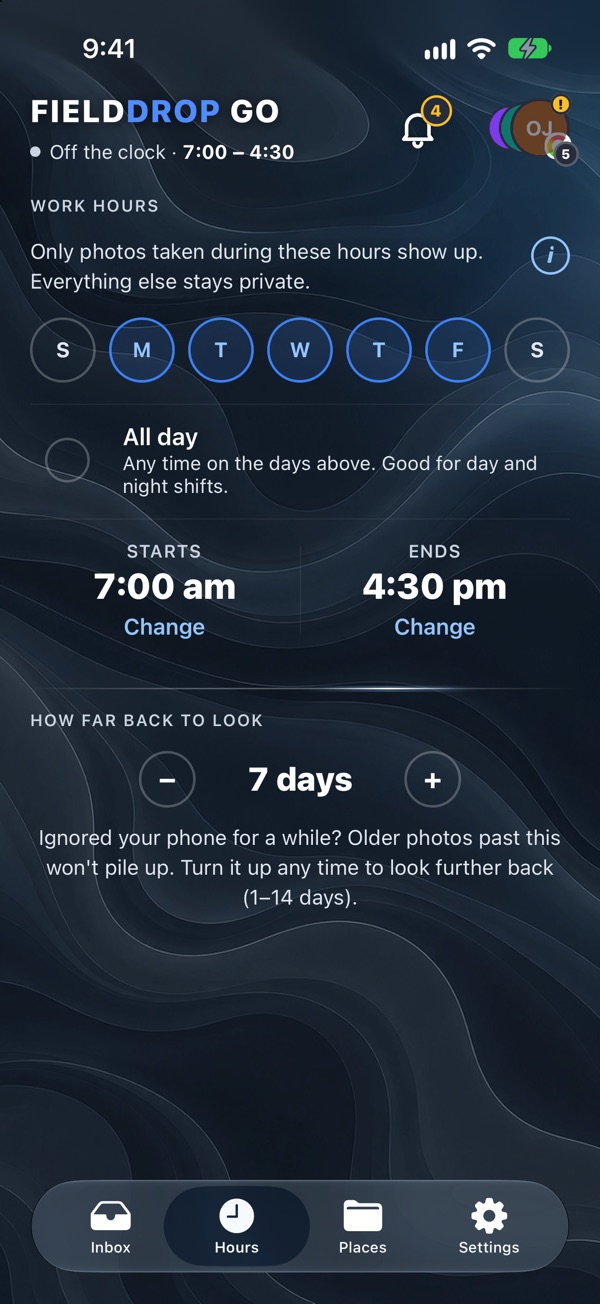
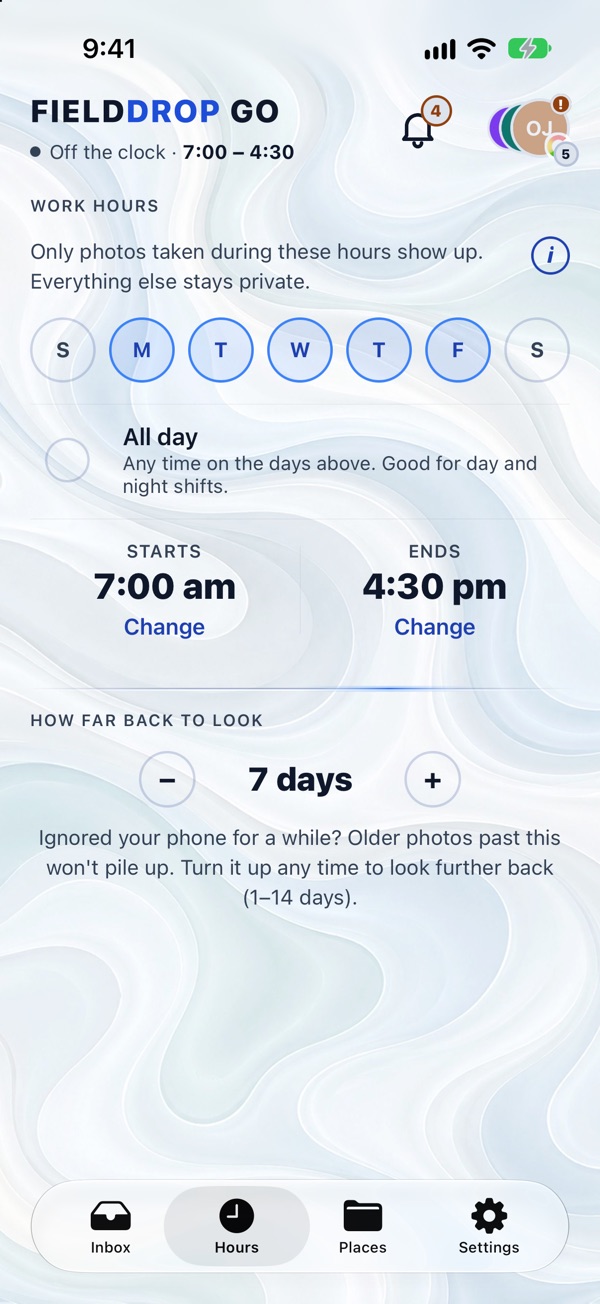
Set your hours once
Pick your work days and times, or All day for rotating shifts. Photos from your weekends and evenings never show up.
It remembers
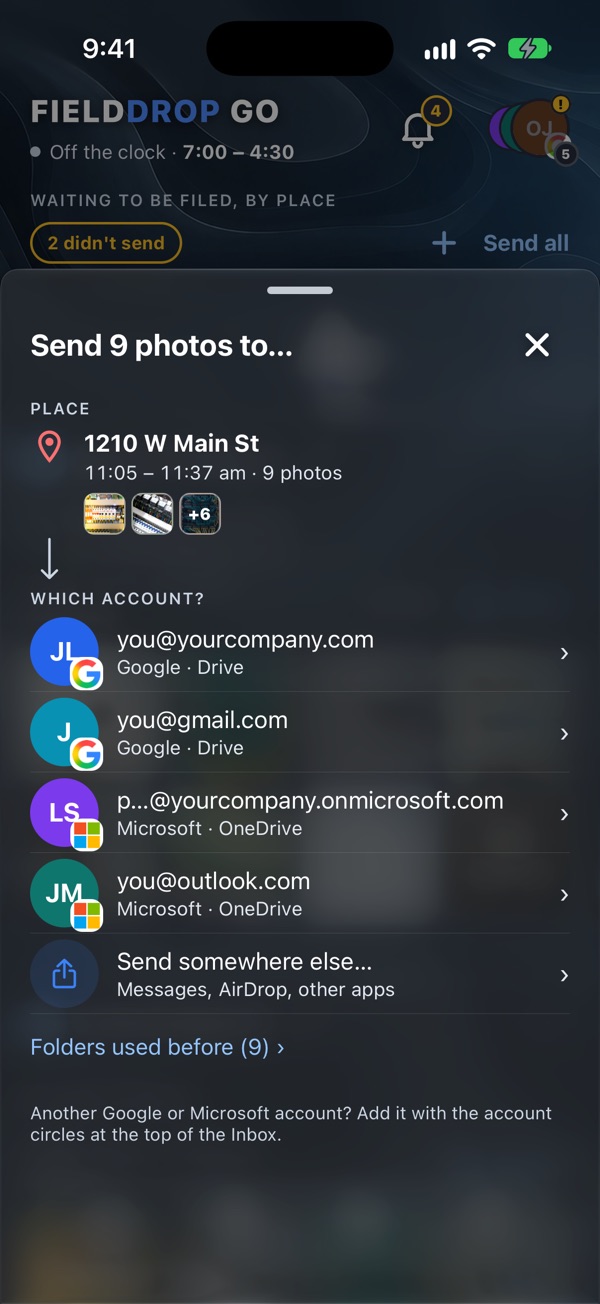
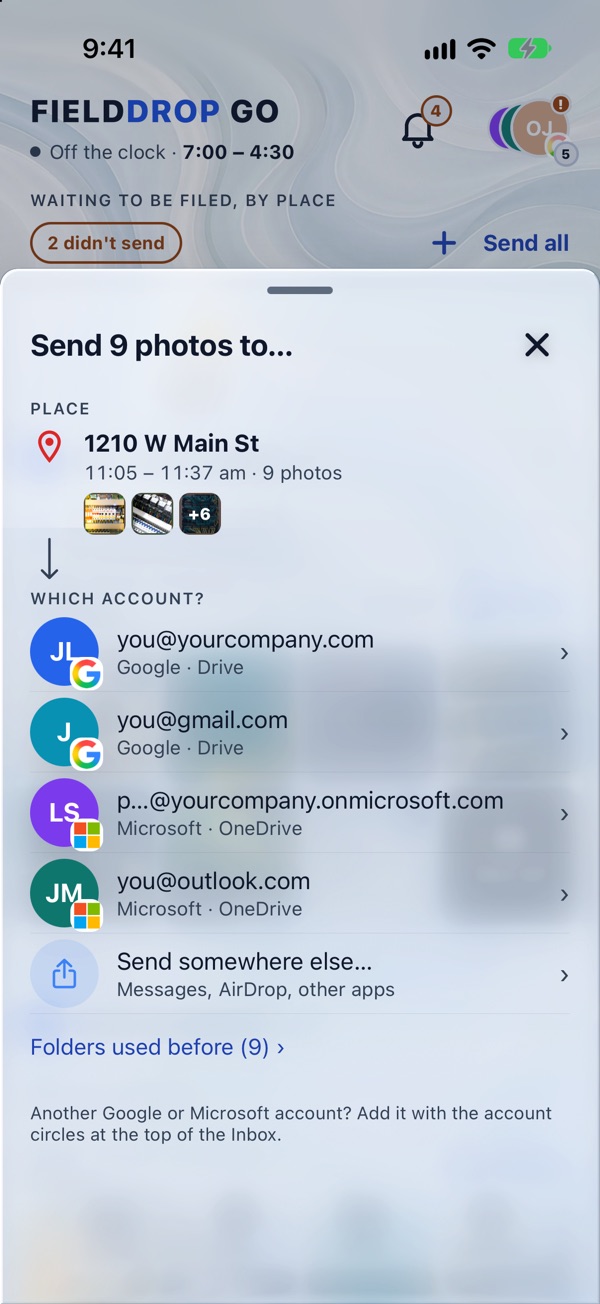
Pick a folder once per place
The first time you file photos from a place, that folder becomes its home. Next time it's already filled in. Works with personal and work accounts side by side.
Space back
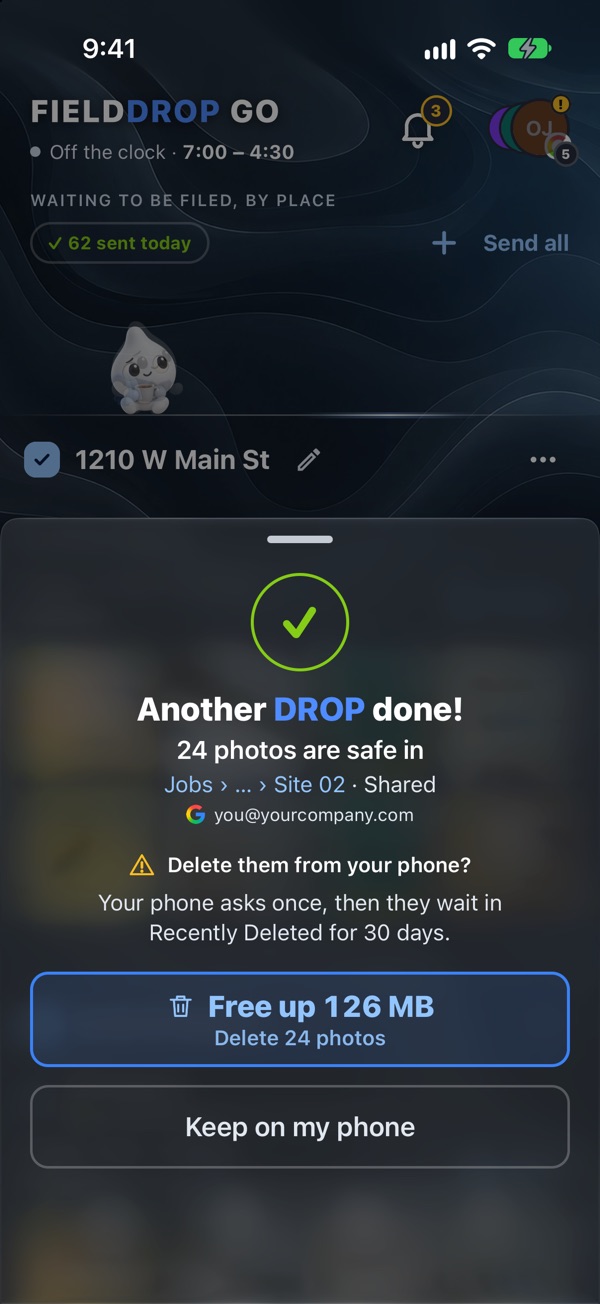
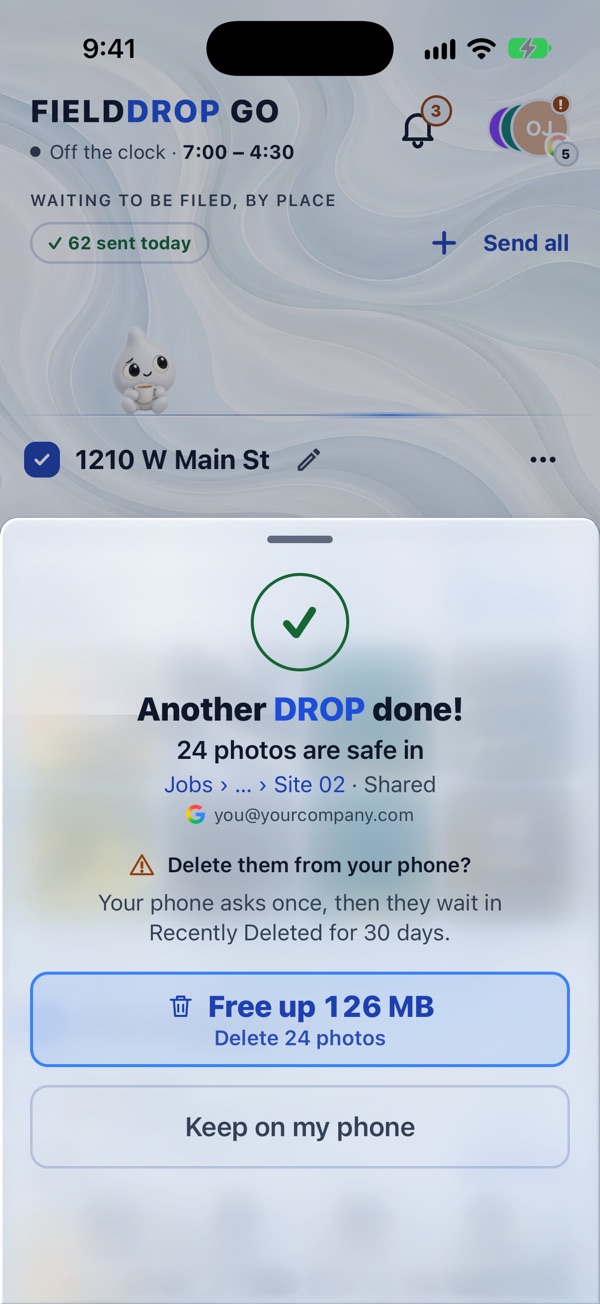
Clear them off your phone
Only after your Drive, OneDrive, Dropbox or iCloud Drive says they arrived. See exactly how much space you got back. No more "did I already send that?"
Made for anyone who takes photos at work
Field techs and installers, factory and warehouse floors, inspectors, property managers, contractors, anyone whose work photos end up mixed in with their personal ones.
- Send allEvery place that has a folder, in one tap.
- No serverPhotos go straight to your storage.
- Several accountsPersonal and work, Google, Microsoft and Dropbox.
- Asks firstYour phone confirms before clearing. iPhone keeps them 30 days; Android removes them right away.
- No location? Still worksPhotos group by time instead.
- Night shiftsHours that run past midnight count.
Works with the storage your company already uses

Somewhere else? Use Send somewhere else… to share photos with any app on your phone, like Mail, Messages or AirDrop.
Ask your boss to cover it. Lots of companies already help pay for the phone you use at work. FieldDrop Go is $19.99 a year, and Apple or Google emails you a receipt you can hand in.
No company Google account yet? Google Workspace gives your team work email and shared drives for job photos. Start Google Workspace with our link to get Google's new-customer discount.
Referral link: Logic Stitch may receive a reward from Google if you sign up. It costs you nothing extra. For new Workspace customers in the US.
Pricing
Free for 1 month. Then a whole year of unlimited photos and places, and a gallery that's just yours again.
- Google Drive and shared drives, OneDrive and SharePoint, Dropbox, and iCloud Drive (iPhone and iPad)
- Billed by Apple or Google. Cancel anytime in your phone's settings.
Doing it by hand takes roughly 15 seconds a photo (our rough estimate). File a thousand a year and that's about four hours back.
Questions
Do you see or store my photos?
No. Photos go straight from your phone to the Google Drive, OneDrive, Dropbox or iCloud Drive you pick. FieldDrop Go has no server and keeps no copies.
What can FieldDrop Go access in my Google Drive?
Only the files it uploads and the folders you pick. It can't see the rest of your Drive.
Which photos can it find?
Only photos that are still in your phone's photo library. It doesn't look inside Google Photos, iCloud.com or other apps. On Android, if Google Photos "freed up space" by removing photos from your phone, FieldDrop Go can't see them. On iPhone with iCloud Photos, it still sees them; sending may take longer while your phone downloads the full photo.
Does it work without location turned on?
Yes. Your camera's location setting is what lets photos group by place. Without it, photos are grouped by time instead, and you pick the folder yourself.
What happens when I clear photos off my phone?
They're only removed after your Drive, OneDrive, Dropbox or iCloud Drive confirms they arrived. Your phone asks you to confirm. iPhone keeps them in Recently Deleted for 30 days. On Android they're deleted once you confirm (a copy may still be in Google Photos if it backed them up).
Does it work with iCloud Drive on Android?
No. iCloud Drive is only on iPhone and iPad. On Android, use Google Drive, OneDrive or Dropbox, or use Send somewhere else… to share photos with another app.
How do I cancel?
In your phone's subscription settings (App Store or Google Play). You keep access until the end of your paid year.
Ready when you are.